Catalog Paid Plan
Paid Plan required. The Catalog tab is locked on the free plan. Upgrade your license to access it.
The Catalog tab allows you to attach the A&A suit customizer to your own WooCommerce products — products you sell under your own brand, not drop ship items. When enabled, a Customize button appears on the product page so customers can configure fabric, lining, buttons, lapel, and measurements.
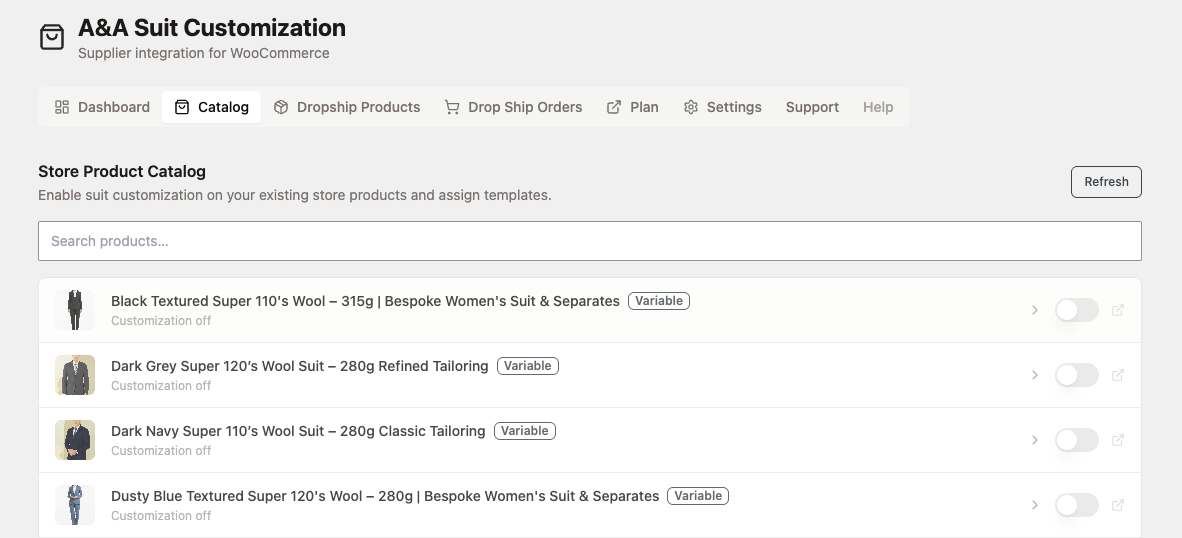
Enabling the Customizer for a Product
- Go to WooCommerce → A&A Suits → Catalog.
- Find your product in the list (use the search bar or scroll).
- Click Attach Template next to the product.
- Select the garment template that matches your product (e.g., Men's Jacket, Bespoke 2PC Suit, Women's Jacket).
- Click Save. The customizer is now live on that product's page.
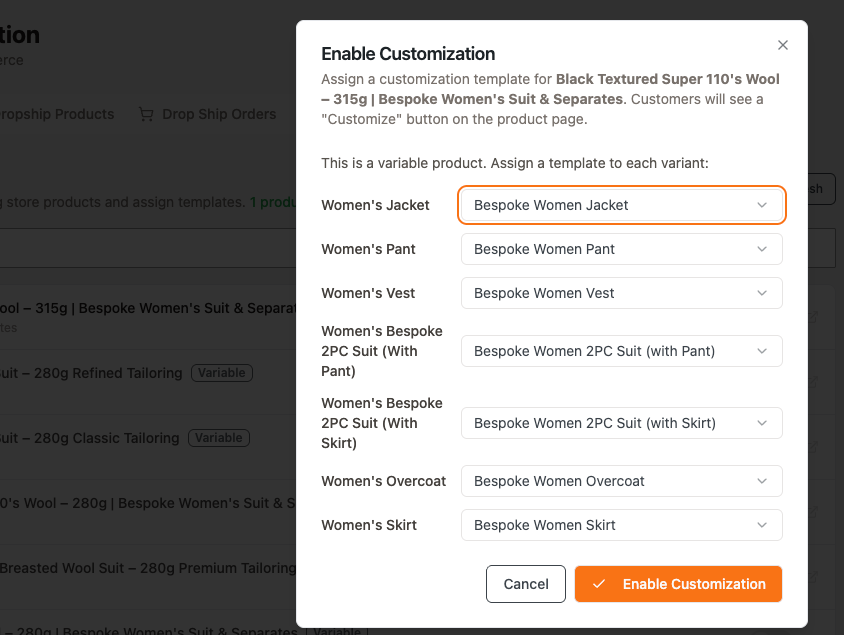
Available Templates
Templates define which customization options (fabrics, linings, buttons, lapel styles, measurements) are available to the customer. Each template is specific to a garment type:
- Men's Jacket — MTM jacket configuration
- Men's Pant — Trouser / pant configuration
- Men's Vest — Waistcoat configuration
- Men's 2PC Suit — Jacket + Pant
- Men's 3PC Suit — Jacket + Pant + Vest
- Bespoke Jacket / Pant / Suit — Full bespoke measurement forms
- Women's Jacket, Women's Pant, Women's 2PC Suit, and more
Tip: Drop ship products imported from the Dropship Products tab automatically use the correct template based on garment type — no manual Catalog setup is needed for them.
Disabling the Customizer
To remove the customizer from a product, click Detach next to the product in the Catalog list. The Customize button is immediately removed from the storefront.