Dropship Products
The Dropship Products tab lets you browse the full A&A supplier catalog and import products directly into your WooCommerce store. When a customer orders, we manufacture and ship the garment straight to them — you never hold inventory.
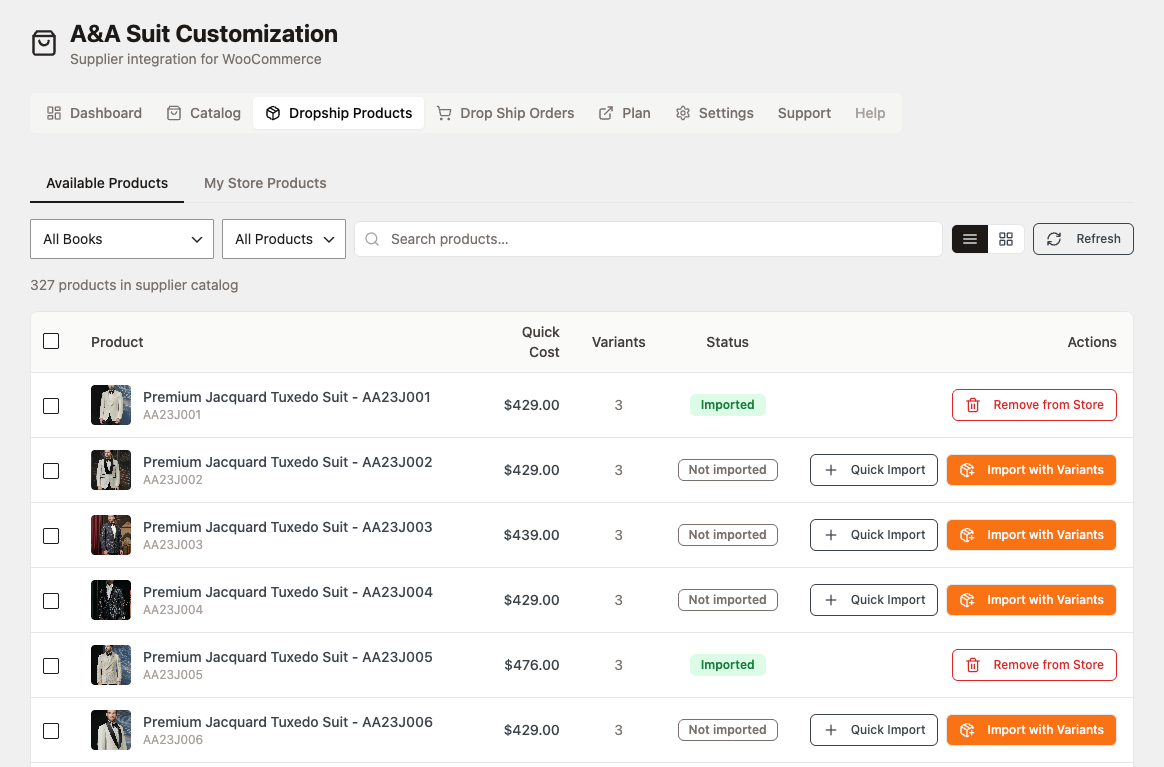
Available Products
The Available Products sub-tab shows the master A&A supplier catalog — 327 products across Men's and Women's garments.
Searching & Filtering
- All Books dropdown — Filter by fabric book (e.g., Summer Collection, Wool Blend, Jacquard).
- All Products dropdown — Filter by garment type (Jacket, Pant, Vest, Suit, Overcoat).
- Search bar — Search by product name or code.
- List / Grid view icons — Toggle between a detailed table view and a card grid view.
Importing a Product
Each product row shows the supplier's quick cost and the number of available variants. Two import options are available:
- Quick Import — Imports the product with a single default variant. Use this for a fast listing when you just want to get the product into your store.
- Import with Variants — Opens a dialog where you select which garment types (Jacket, Pant, Vest, 2PC Suit, 3PC Suit, Overcoat) to import and set your retail price for each. Each variant shows the supplier cost so you can set your margin.
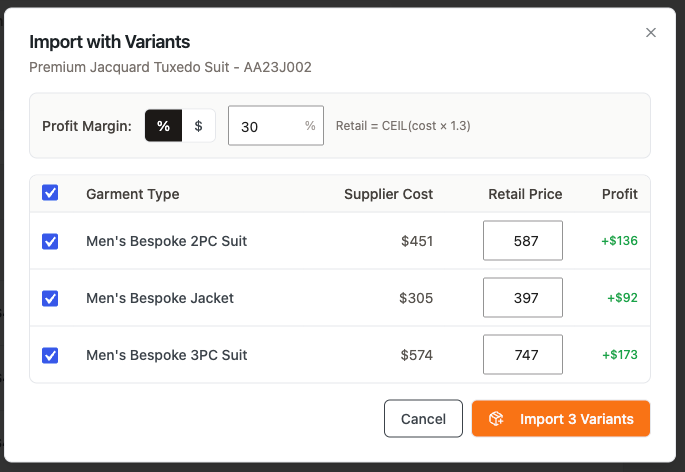
Free Plan Limit: You can import up to 10 products on the free tier. The Remove from Store button is shown next to any already-imported product. Upgrade to remove this limit.
My Store Products
The My Store Products sub-tab lists all drop ship products you have imported into your WooCommerce store.
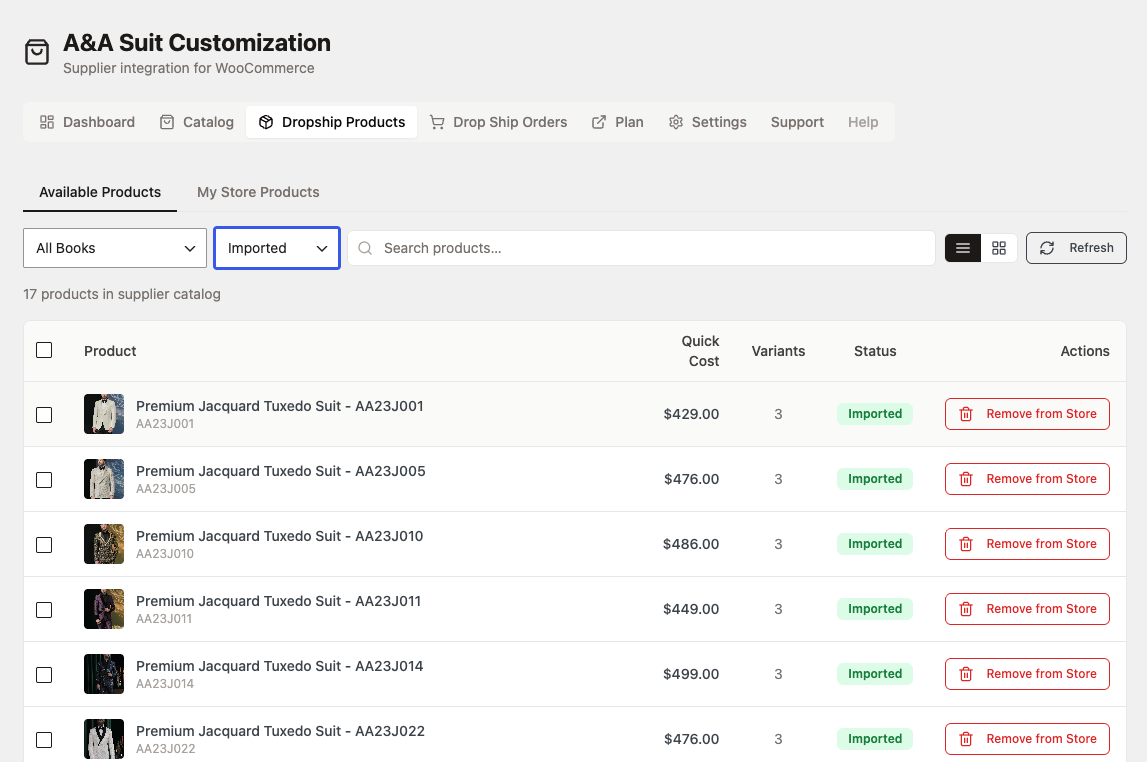
- Remove from Store — Removes the product and its WooCommerce product listing. Orders that already used this product are not affected.
- Products appear in your WooCommerce store immediately after import with the supplier's product images and description.
Drop Ship Orders
Navigate to the Drop Ship Orders tab to manage orders that require supplier fulfilment. Orders move through three stages:
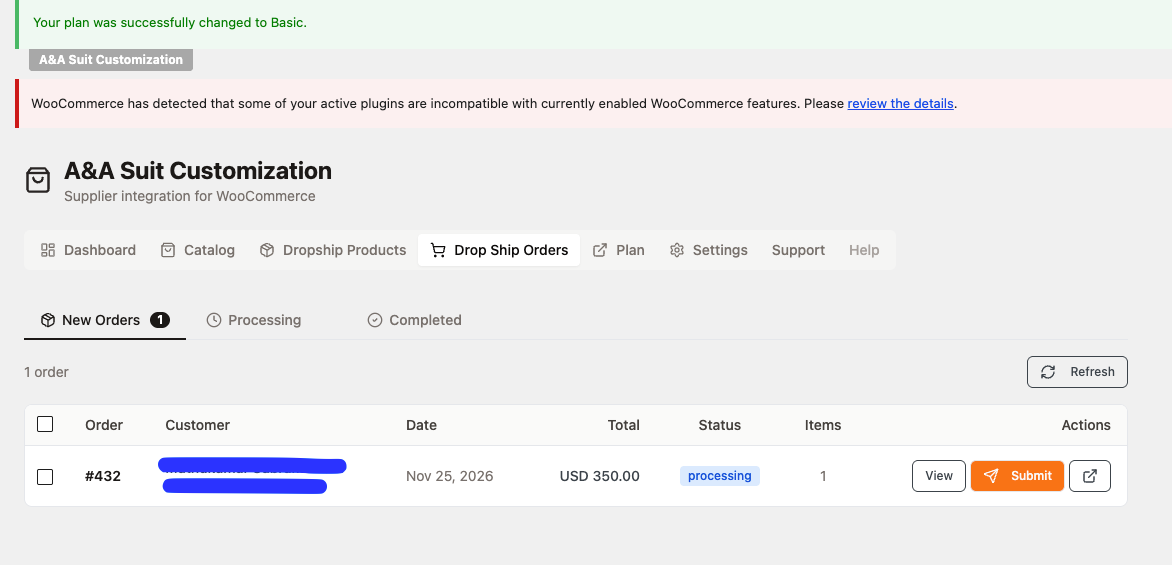
- New Orders — Orders placed by customers but not yet submitted to the supplier. Review the order and click Submit to Supplier to pass it on for manufacturing.
- Processing — Orders submitted to the supplier. The supplier updates the status as the order moves through manufacturing and shipping. Tracking numbers appear here once the order ships.
- Completed — Orders delivered to your customer. WooCommerce order status is updated to "Completed" automatically.
Open Supplier Portal: Click Settings → Open Supplier Portal to log into csots.anadistributors.com for deeper order management, payment, and status tracking.