Storefront Experience
This page explains what your customers see on the product page and how the suit customizer works end-to-end.
Product Page
For drop ship products imported from the A&A catalog, the product page shows the suit image and a Garment Type variant selector. The customer first selects a garment type (e.g., Jacket, 2PC Suit) before the customizer is revealed.
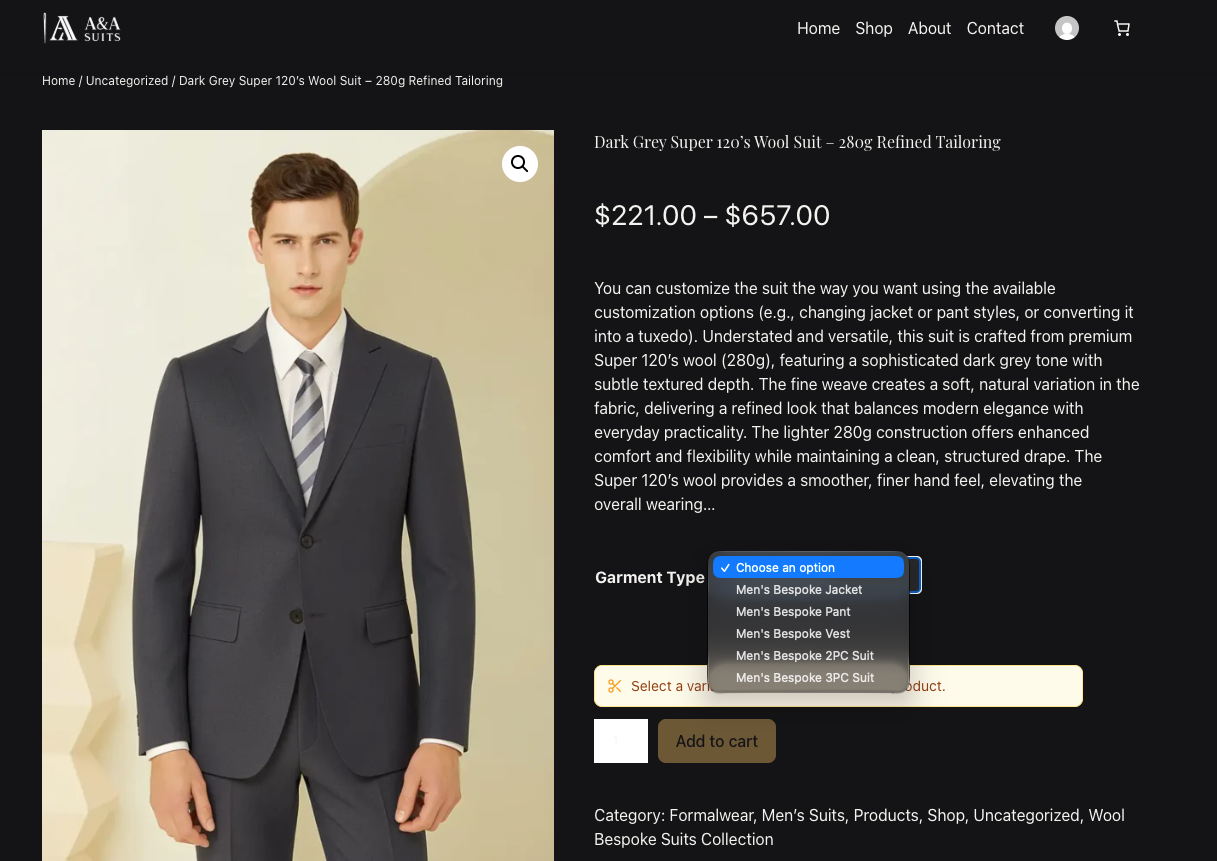
Select a Variant to Customize
Until a variant is selected, the page displays: "Select a variant above to customize this product." Once the customer picks a garment type, the customization button appears.
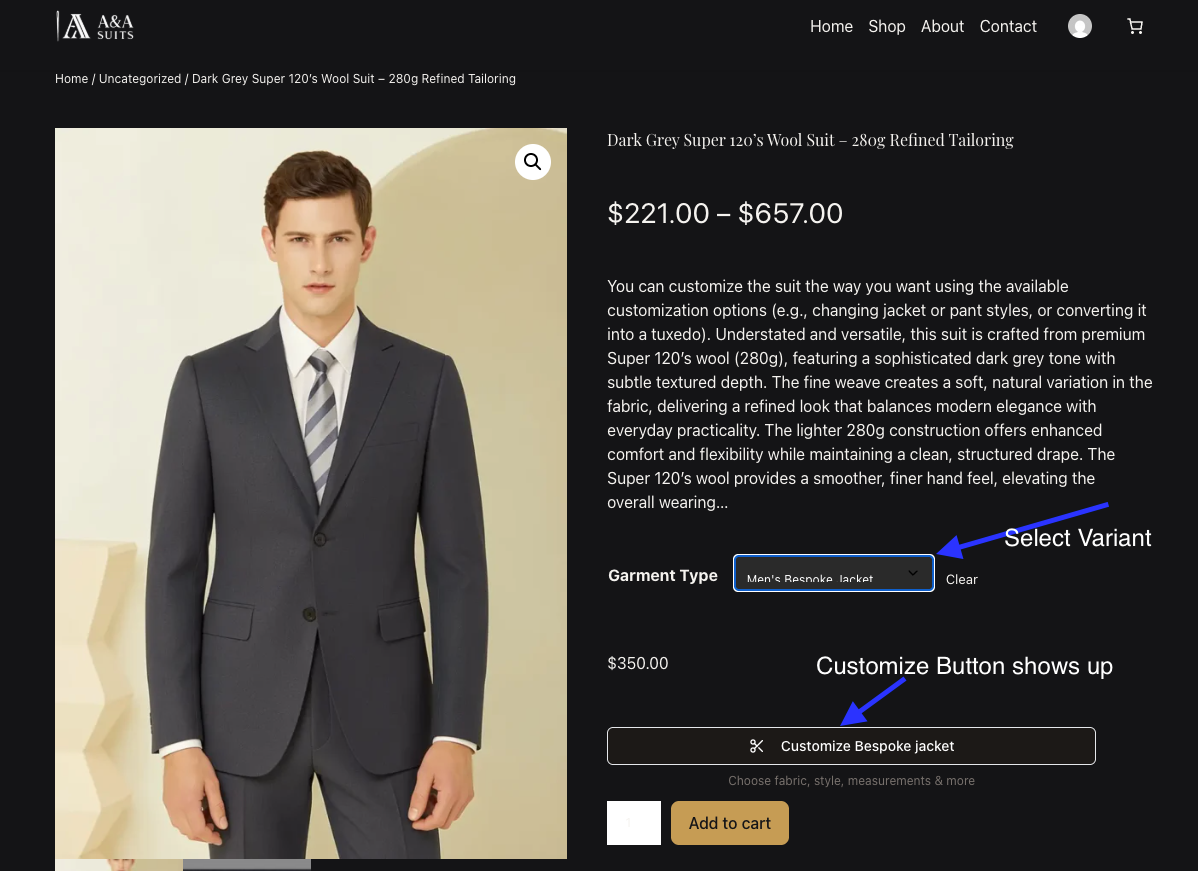
Customization Modal
When the customer clicks Customize, a full-screen modal opens with the suit builder. The customer can configure:
- Fabric — Browse and select from available fabric swatches
- Lining — Choose lining fabric and color
- Buttons — Select button style and number
- Lapel — Notch, peak, or shawl lapel options
- Measurements — Enter body measurements for a made-to-measure fit
- Additional Options — Pockets, vents, ticket pocket, and more depending on garment type
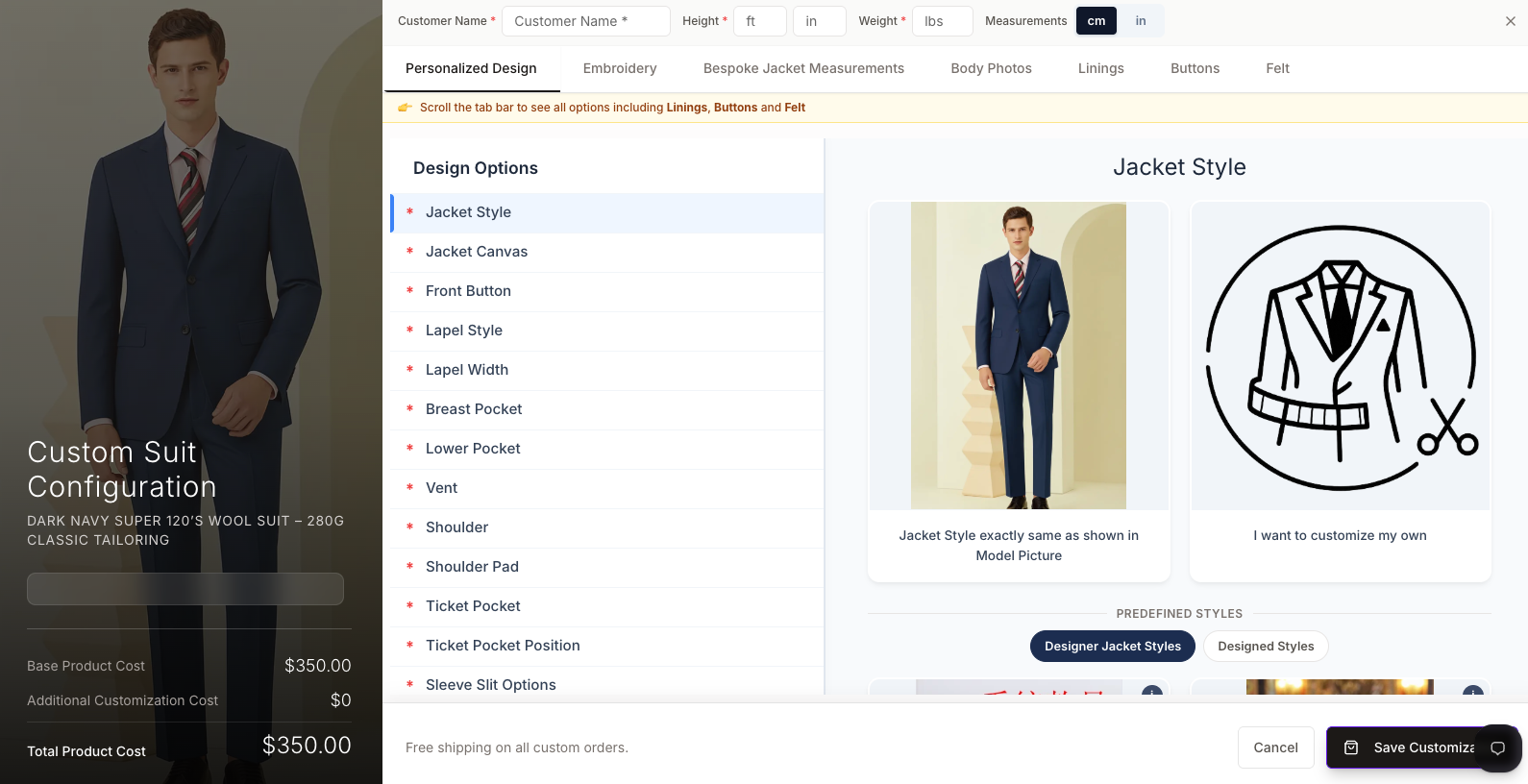
When the customer clicks Add to Cart, all customization options are stored as WooCommerce order meta and sent to the supplier as part of the drop ship order.
Mobile Experience
The customizer works on phones and tablets. The fabric swatch grid stacks to a single column on small screens.
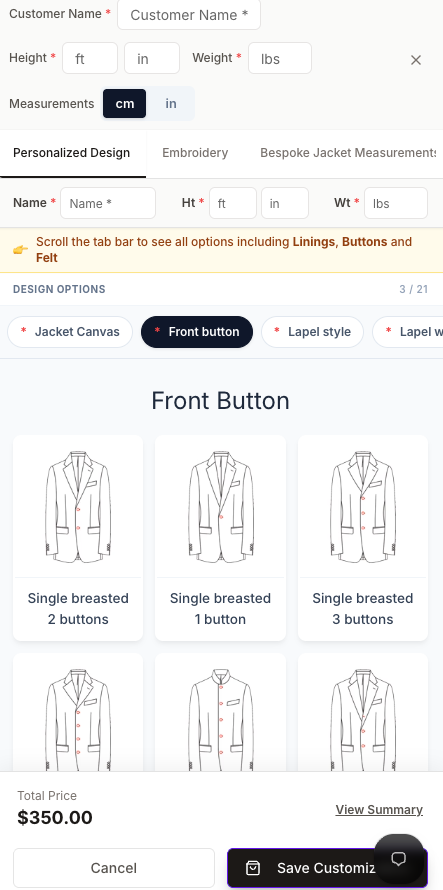
How the Order Flows
- Customer selects a variant, configures the suit, and clicks Add to Cart.
- Customer completes WooCommerce checkout as normal.
- Order appears in WooCommerce → A&A Suits → Drop Ship Orders → New Orders.
- Store owner reviews the order and clicks Submit to Supplier to pass it on for manufacturing. Orders are not submitted automatically — this step requires manual action.
- A&A manufactures the suit and ships directly to the customer's address.
- When the order ships, the tracking number is added and the WooCommerce order status changes to Completed.