Settings
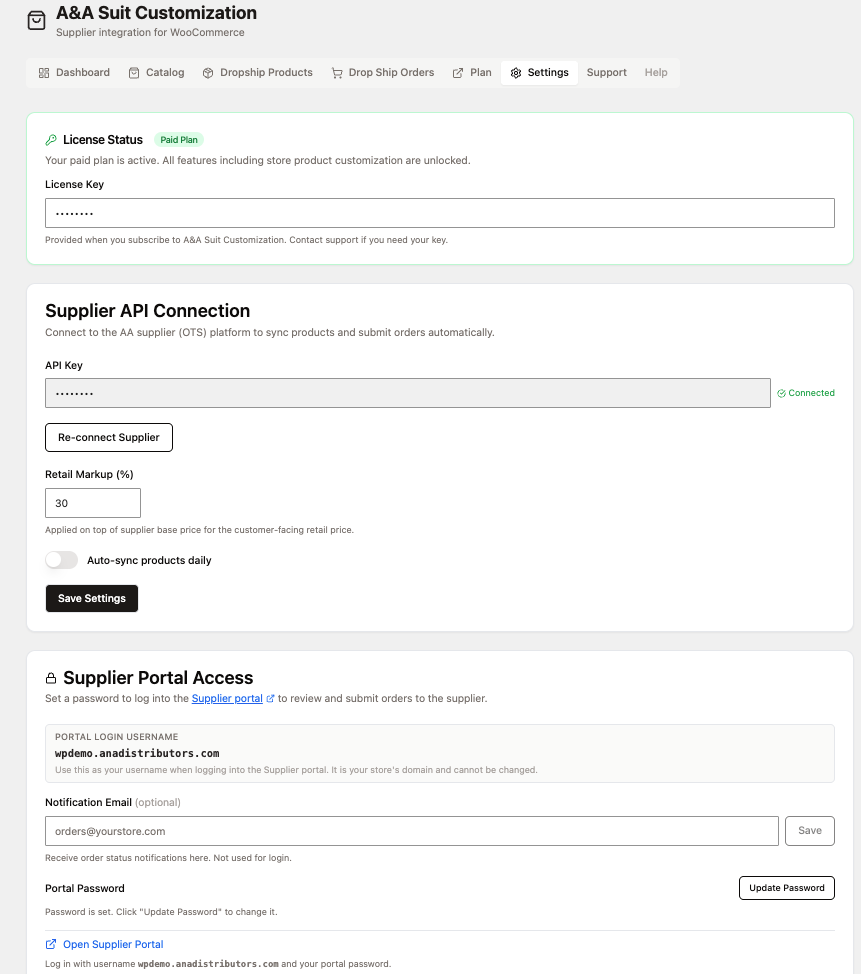
The Settings tab is where you configure your license, supplier connection, pricing markup, and portal access. Access it via WooCommerce → A&A Suits → Settings.
License & Supplier Connection
This section controls your plan and how the plugin communicates with the A&A supplier backend.
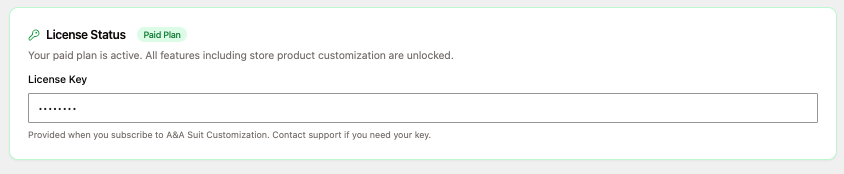
- License Status — Shows whether your store is on the Free or Paid plan. The badge turns green when a paid license is active.
- License Key — Paste your license key here (starts with
sk_, available from anadistributors.com/aa-suit-customization after purchase). - Connect to Supplier — After pasting the key, click Save Settings first, then click Connect to Supplier. The page reloads and your plan upgrades to paid. After a successful connection the button changes to Reconnect Supplier, which you can use to re-activate if needed.
- Supplier API URL — Pre-filled with
https://csots.anadistributors.com. Do not change this unless instructed by support — an incorrect value will break the supplier connection.
Shortcut: The amber activation banner on the Dashboard tab lets you enter your license key and click Activate in one step, without visiting Settings. Both methods have the same result.
Retail Markup
Set a global markup percentage applied on top of the supplier cost when products are imported.
- Retail Markup % — Enter a percentage (e.g.,
30for 30%). A product with a $429 supplier cost will be listed in WooCommerce at $558 (rounded up). This markup is applied at import time only — changing this setting later does not update prices for products already imported. - You can override the retail price on individual products after import from the Dropship Products tab or directly in WooCommerce → Products.
Supplier Portal Access
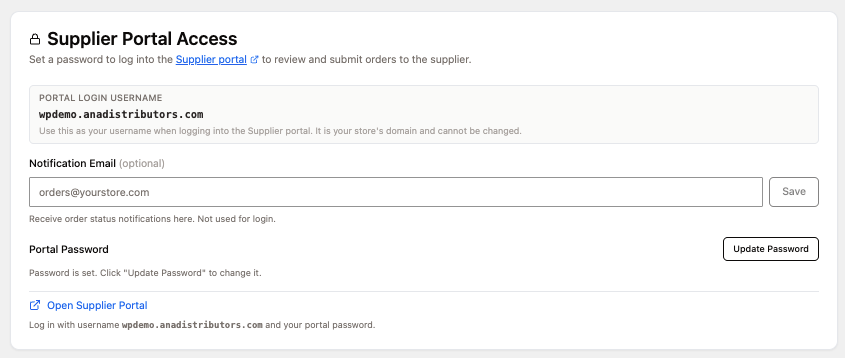
The A&A supplier portal (csots.anadistributors.com) is where you pay for orders, track manufacturing status, and communicate with the supplier team. Configure your login credentials here.
- Portal Email — The email address associated with your supplier portal account. This is used as a contact reference for the supplier team.
- Set Portal Password / Change Password — Set or update the password for your supplier portal login. Your portal username is your store domain (e.g.,
mystore.com). - Open Supplier Portal — Once a password has been saved, a direct link appears to open the portal in a new tab. Log in with your store domain as the username and the password you set here.