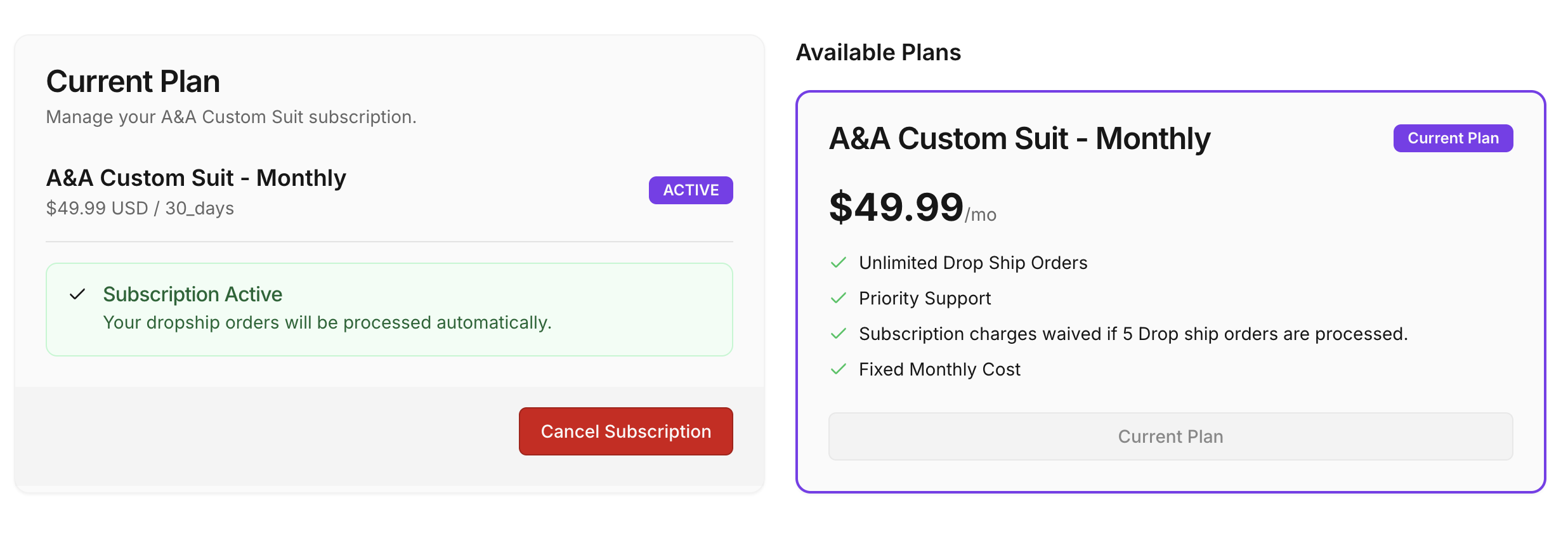
Billing & Subscriptions
Manage your app subscription plan in the Billing section, accessible from the left Shopify navigation panel.
Plan Features
- First month free trial — Your first month is completely free. No charges until the trial ends.
- Fixed Monthly Cost — Subscription is $49.99/month after the free trial.
- Unlimited Drop Ship Orders — Process as many drop ship orders as your business needs with no per-order fees.
- Priority Support — Get prioritized responses from our support team.
- Monthly fee waived with 5+ Drop Ship orders — If you process 5 or more Drop Ship orders in a given month, the subscription charge for that month is automatically waived.
Current Plan
The Billing page displays your current subscription status and plan details:
- Active — Your subscription is active and all drop shipping features are enabled.
- Trialing — You are within your free trial period. Full access is available.
- Inactive — No active subscription. Drop shipping features are disabled until you subscribe.
Subscribing
If you do not have an active plan, click the Subscribe button on your plan card. You will be redirected to a Shopify confirmation page to approve the subscription charge. Once approved, your plan activates immediately.
Cancelling
To cancel your subscription, click the Cancel Subscription button on the Current Plan card. Features will be immediately disabled upon cancellation. You can re-subscribe at any time.
Note on Free Trial: Your free trial starts on the day of first installation. Switching subscription plans does not reset or extend the trial — you will still receive the full trial period based on the original install date. Please contact our support team if you need assistance.