Admin Panel Guide
The Admin Panel is where you configure the application, manage your subscription, and control which products offer the custom suit building experience.
Home (Dashboard)
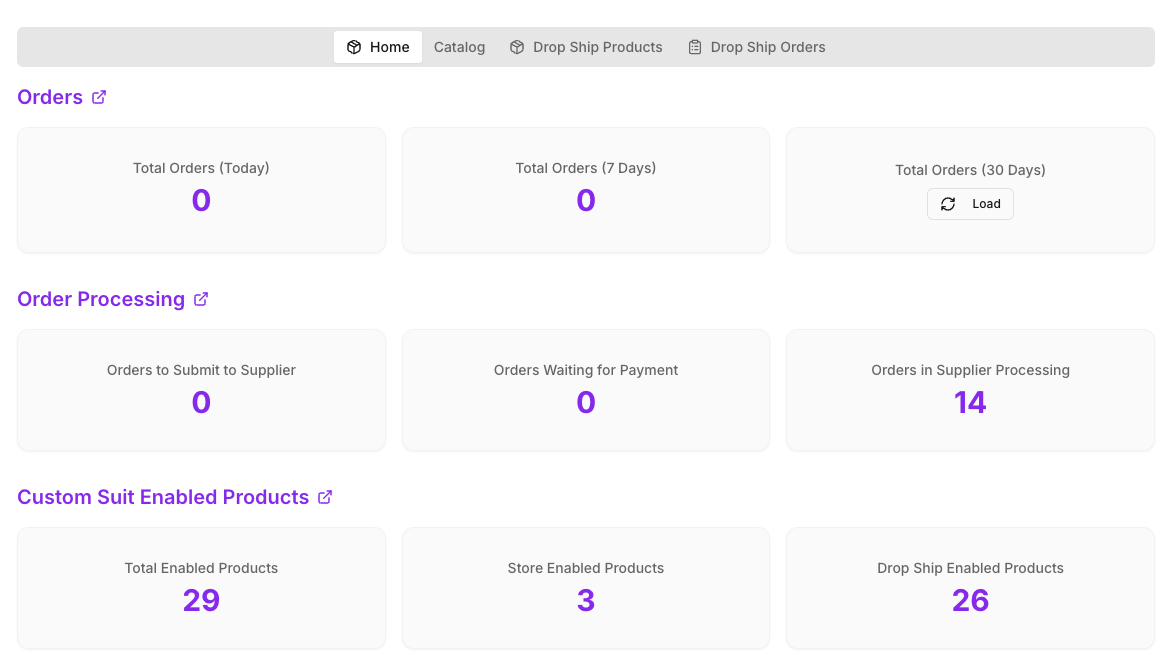
The Dashboard provides an overview of your app usage and performance, including drop shipping order statistics and enabled product counts.
Orders
- Total Orders (Today): The number of orders received today.
- Total Orders (7 Days): The total number of orders received over the last 7 days.
- Total Orders (30 Days): The total number of orders received over the last 30 days.
Order Processing
- Orders to Submit to Supplier: Drop ship orders received but not yet submitted to the supplier for fulfillment.
- Orders Waiting for Payment: Drop ship orders submitted to the supplier but pending your payment.
- Orders in Supplier Processing: Orders paid for and currently being fulfilled by the supplier.
Custom Suit Enabled Products
- Total Enabled Products: All products in your store that have the Custom Suit feature enabled.
- Store Enabled Products: Your own custom products with the Custom Suit feature enabled.
- Drop Ship Enabled Products: Imported drop ship products with the Custom Suit feature enabled.
Catalog
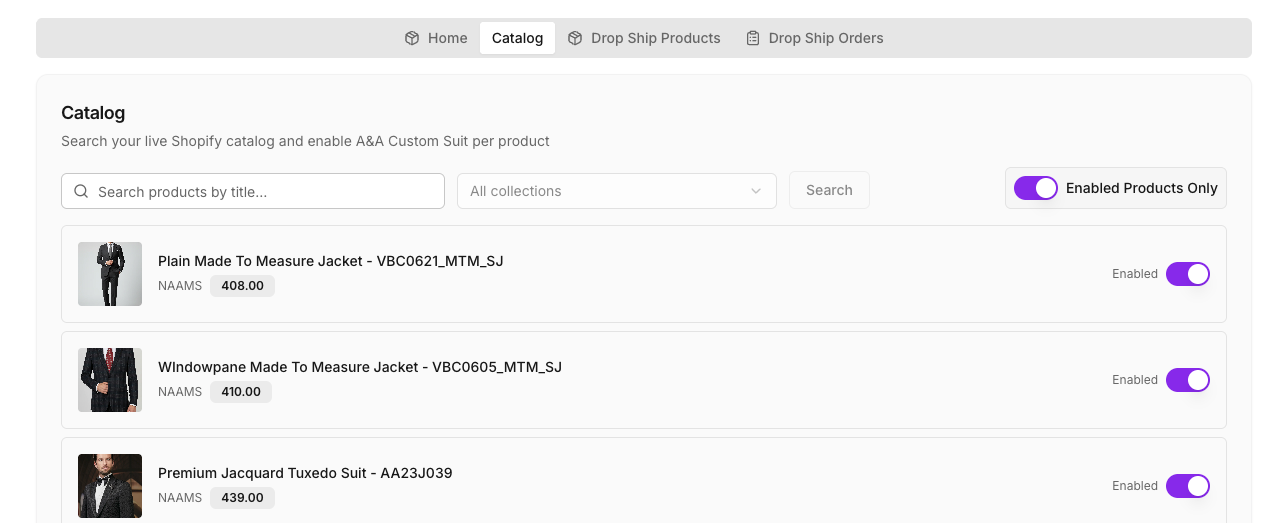
The Catalog tab allows you to manage which products in your store have the Custom Suit builder enabled.
- Search Options: Use the search bar to quickly locate specific items by name.
- Filter Enabled Products: Toggle the filter to view only products that currently have the Custom Suit builder enabled.
- Product List: View all your store products along with their current enablement status.
- Enable/Disable: Toggle the switch to On to enable the Custom Suit Builder for a product, or Off to disable it.
Drop Ship Products
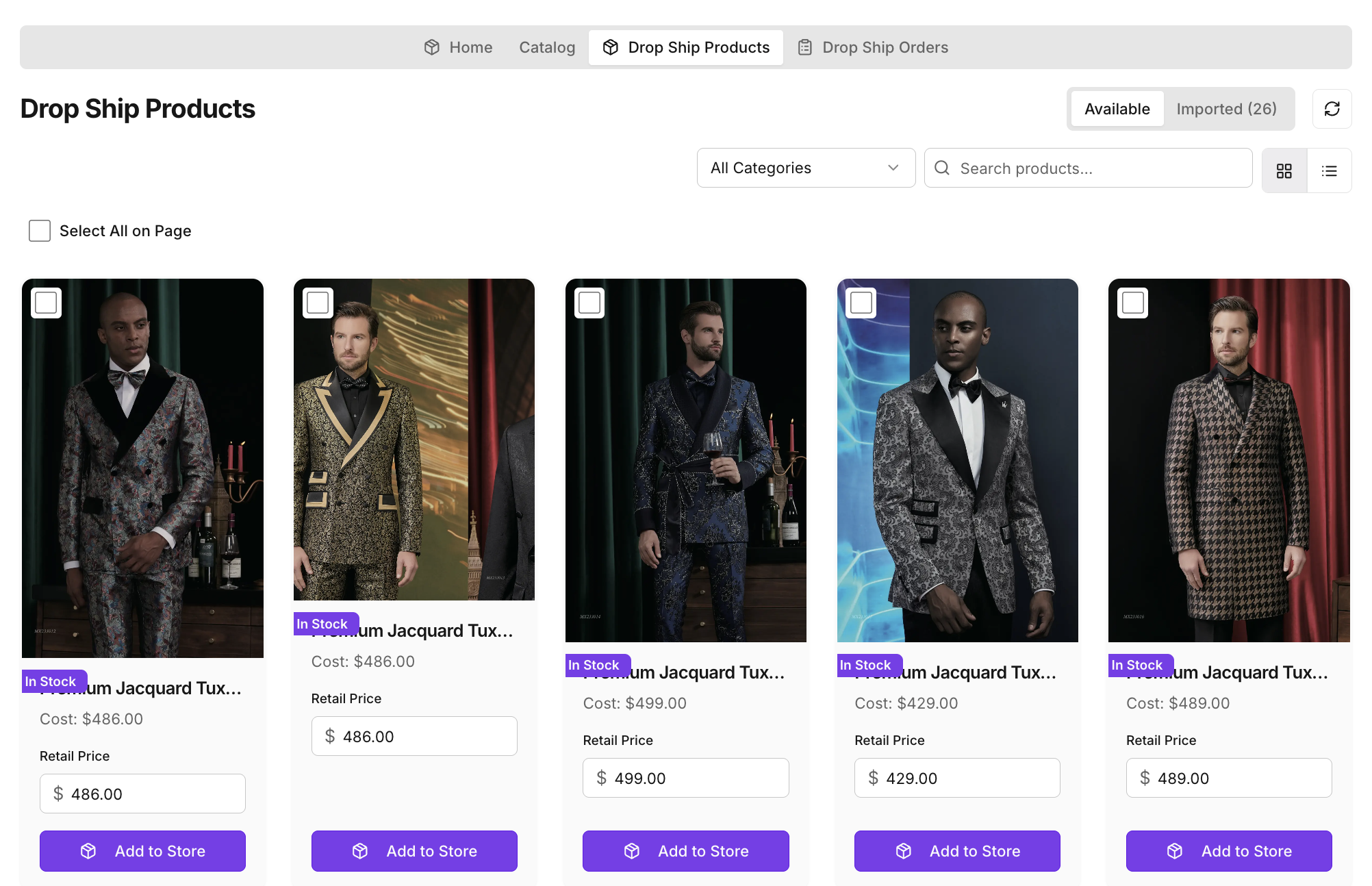
The Drop Ship Products tab allows you to browse the master supplier catalog and integrate products directly into your store. It is divided into two sections: Available and Imported.
General Navigation & Tools
- Search & Filter: Use the search bar to find products quickly, or use drop-down filters to browse by fabric book or category.
- View Modes: Toggle between a detailed Tile View or a streamlined List View.
- Selection: Select individual products using checkboxes, or use "Select all in page" to select everything on the current screen.
- Pagination: Browse through pages of the supplier catalog.
Available Tab
This tab displays the master supplier catalog. You can examine products, view wholesale costs, set your retail price, and import them directly to your Shopify store.
Importing Products with Variants
When you import a drop ship product, you select the garment variants you want to sell. Each garment type (Jacket, Pant, Vest, 2PC Suit, 3PC Suit, Overcoat) has its own supplier cost, calculated automatically from the fabric book and garment type pricing set in the OTS Admin system:
- Supplier Cost Formula:
CEIL((Fabric Cost + CMT + Shipping) × (1 + PayPal %) × Commission Multiplier) - Fabric cost is set per fabric book and garment type by the OTS Admin.
- CMT, Shipping, PayPal percentage, and Commission Multiplier are set per garment type in the OTS Admin.
- Supplier cost is displayed on each variant row so you can set an appropriate retail price and see your profit margin before importing.
You can set your retail price by entering a profit margin percentage or a fixed dollar amount above the supplier cost. Use Select All to apply a margin to all variants at once, or configure each variant individually.
Imported Tab
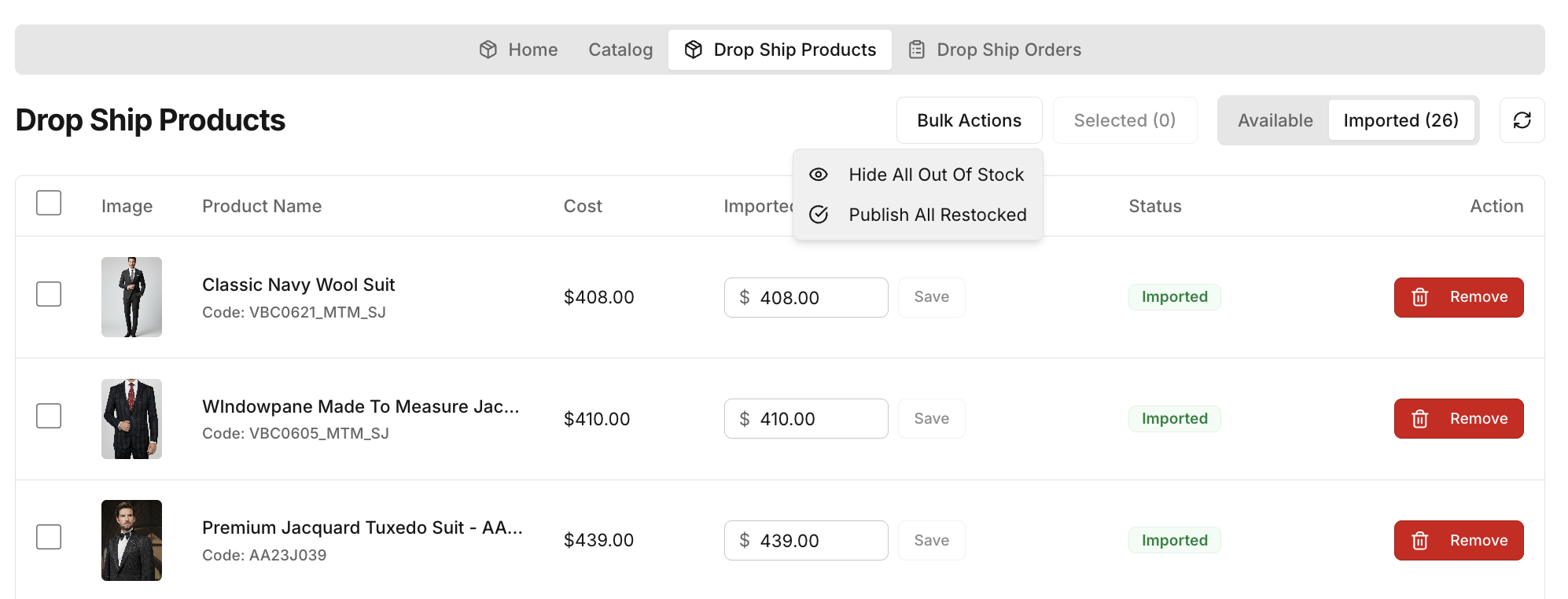
The Imported tab manages all drop ship products you have already added to your storefront.
- Status & Synchronicity: Each product shows its imported status. If a product goes out of stock or its price changes at the supplier, the status will be reflected here.
- Price Management: Track your retail price against the imported supplier cost. You can update prices directly from this tab.
- Manage Variants: Click Manage Variants on any imported product to add, update, or remove garment type variants. The Manage Variants screen shows the supplier cost for each garment type, your current retail price, and your profit margin. You can:
- Set profit by % Margin or Fixed $ amount above supplier cost.
- Use Select All to update all variants at once.
- Remove individual variants from your store.
- View Current Variants already in your Shopify store alongside available variants not yet added.
- Bulk & Selected Actions: Use the dropdown action menus to perform bulk updates (e.g., hide all out-of-stock products, publish all restocked items) or apply actions only to manually selected products.
Drop Ship Orders
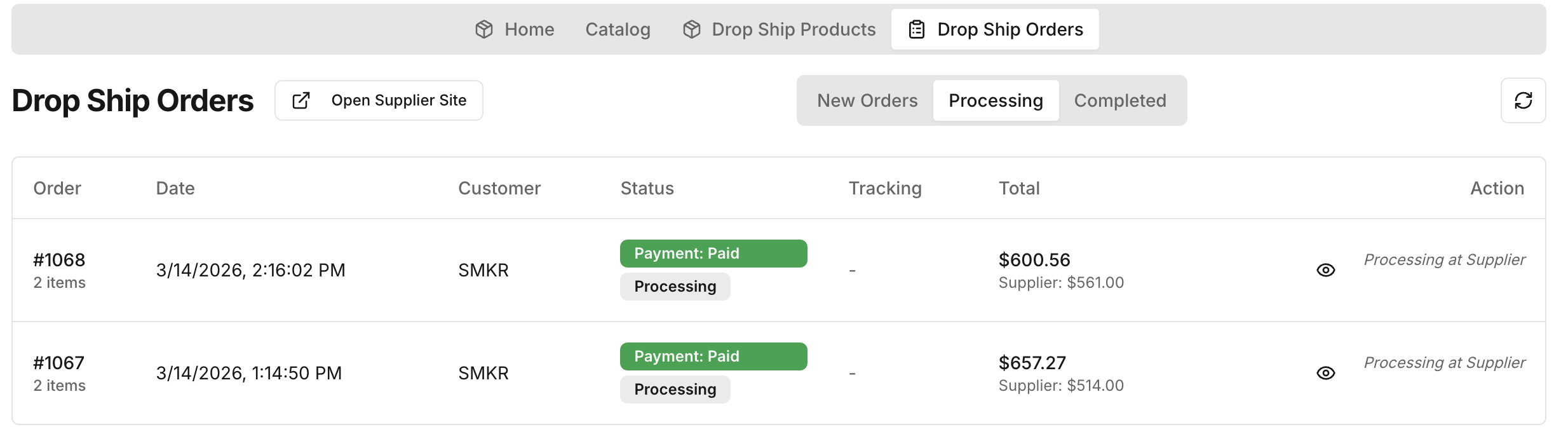
Navigate to the Drop Ship Orders section to manage orders that require supplier fulfillment.
- New Orders: Orders received but not yet submitted to the supplier. Use the "Submit Order" action to process an order and move it to the Processing stage.
- Processing: Orders submitted to the supplier, tracking live statuses such as "Processing" or "Shipped". Tracking numbers are displayed once an order ships.
- Completed: Orders successfully delivered to the customer.
Open Supplier Site: Use this option to open the supplier platform directly for order payment and deeper status tracking.
Request Fulfillment
Drop ship orders are fulfilled by A&A through a two-step process in Shopify:
-
Submit Request Fulfillment in Shopify: After a customer places a drop ship order, open the order in your Shopify Admin. In the Fulfillment section, click "Request fulfillment". This signals to the A&A team that the order is ready to be processed.
Important: This step is required before A&A can ship the order. The fulfillment order is automatically assigned to the A&A Custom Suit fulfillment location when the order is placed — you do not need to move it manually.
- Automatic Fulfillment on Shipment: When A&A ships the order through the OTS system, Shopify is automatically updated. The order status changes to Fulfilled, and the customer receives a Shopify shipping confirmation email with the tracking number and carrier link — no action is needed from you.
What the customer sees: A standard Shopify shipping notification email from your store, including the tracking number and a link to track their package.