Storefront
The A&A Custom Suit app integrates directly with your Shopify store using Online Store 2.0 App Blocks. This ensures it works seamlessly with your theme without requiring any theme code edits.
Customer Experience
Once installed and configured, the customization button displays on your product pages based on either the auto-select (tag-based) logic or the specific template assigned to the product.
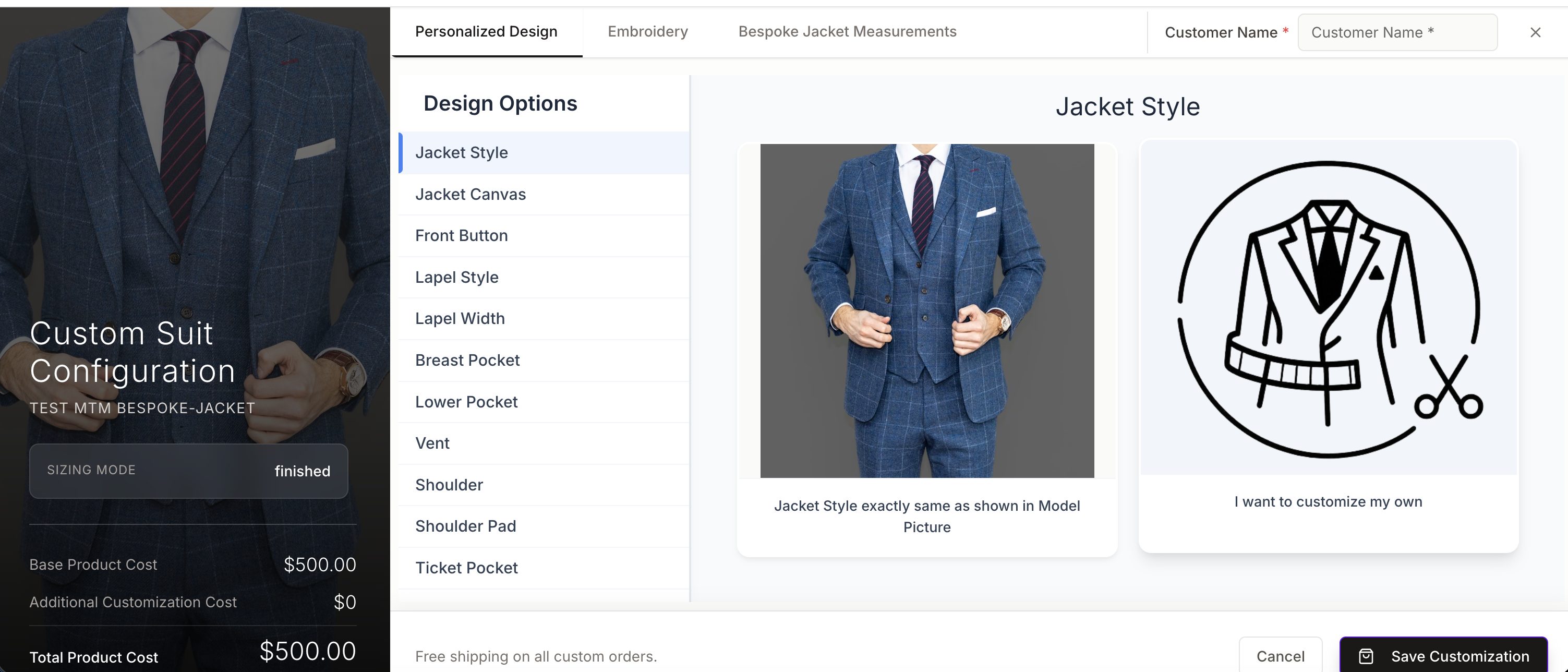
- Customization Interface: Customers build their perfect suit by exploring design options. Required inputs and mandatory fields are marked with an asterisk (*).
- Design Options with Pricing: If you have set a custom price for any design option (e.g. a premium button style at +$40), that price is displayed consistently everywhere the customer sees it — on the option card, in the tooltip, in the order summary panel, and in the confirmation review screen. The price shown is always the price the customer will be charged.
- Saving Customizations: Customers can save their selected customizations for later. Saving automatically closes the builder and returns them to the product page.
- Reloading Options: If a customer re-opens the customizer on a product where they have an existing saved configuration, the app prompts them to reload their saved customization or start fresh.
- Measurement Validation: If a customer provides both body and garment measurements for a bespoke item, the app prompts them to select just one method and discards the other to avoid conflicts.
- Adding to Cart: Clicking "Add to Cart" bundles the base product with the customization surcharge (if above $0). If the selected customizations carry no extra charge, the surcharge line item is omitted from the cart entirely.
- Multi-Product Support: For 2PC and 3PC suits, the customer customizes each garment component (jacket, pant, vest) within a single session, and all components are added to the cart together.
Custom Option Pricing
Merchants can set custom prices for individual design options (e.g. charging +$40 for a double-breasted front instead of the default +$20). When a custom price is set:
- The option card label shows the merchant-set price.
- The tooltip (shown on hover) shows the merchant-set price.
- The order summary panel lists the selected option with the merchant-set price.
- The confirmation/review screen before checkout shows the merchant-set price.
- The cart line item properties reflect the merchant-set price.
The total "Add Customization" cost in the cart is always calculated using the merchant-set prices, so the displayed prices and the charged amount are always consistent.
Variant-Based Template Selection
For products with multiple garment type variants (e.g. Jacket, Pant, 2PC Suit on the same product page), the customization panel automatically updates when the customer changes the variant. Each variant maps to its corresponding garment template:
- Selecting "Jacket" loads the jacket design options (lapel, buttons, pockets, etc.).
- Selecting "2PC Suit" loads the full jacket + pant builder.
- Selecting "Women's Jacket" loads the bespoke women's jacket template.
The switch is seamless — the panel refreshes immediately with the correct options and any previously saved customization for that variant is restored. No page reload is needed.
Predefined Styles
The customization panel includes a "Select a Style" gallery at the top, showing curated looks with model imagery. Customers can tap a style to pre-fill all the design options for that look, then adjust individual options as they like.
- Men's: Designed jacket styles and designer jacket styles — classic and contemporary options with pre-selected fabric and details.
- Women's: Bespoke styles covering jackets, suits, and occasion wear with model imagery for each look.
Selecting a style does not lock any options — customers can modify any individual choice after selecting a starting style.
Troubleshooting
"The Customize button is not appearing on my product page."
- Check Admin Panel > Catalog to ensure the product has the Custom Builder toggled on.
- Verify you saved your changes in the Theme Editor.
- Ensure the App Block is placed inside the Product Information section of your theme.
- Confirm the product has the correct tag or a specific template assigned (see Installation Guide).
"The customization price shown to the customer doesn't match what I set."
- Custom option prices are set in the OTS Admin system. If prices appear stale after an update, ask the customer to do a hard refresh (Ctrl+Shift+R / Cmd+Shift+R) to clear the browser cache.