Support
Need help? For any assistance please reach out to support through this page. Support will be provided by email or phone based on your preference.
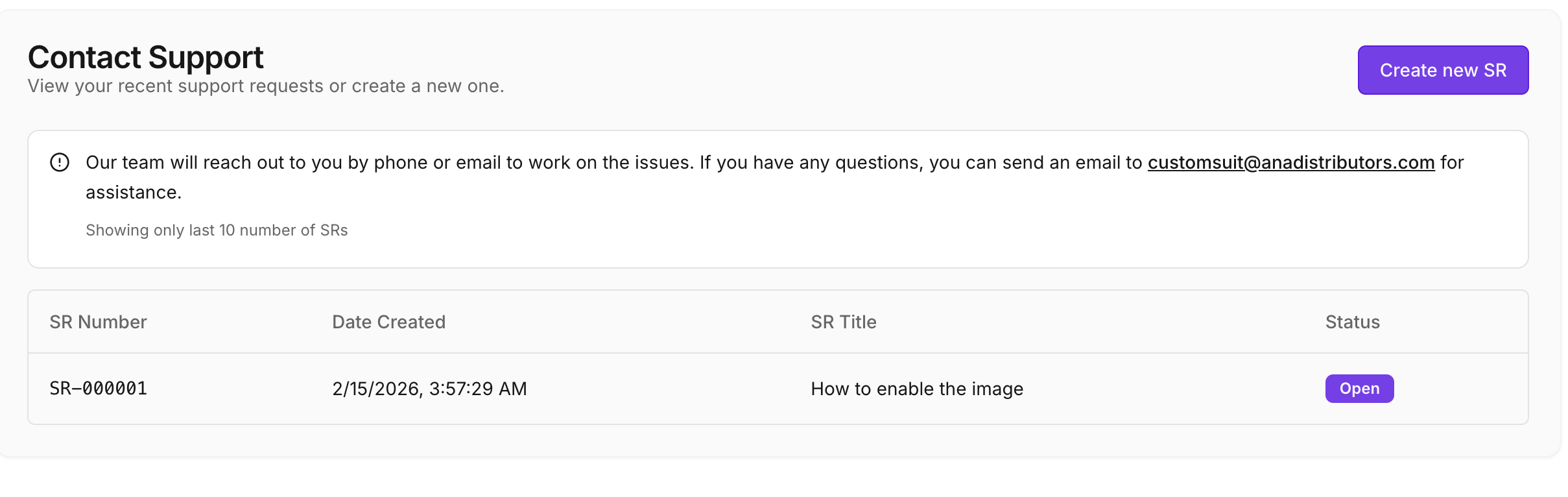
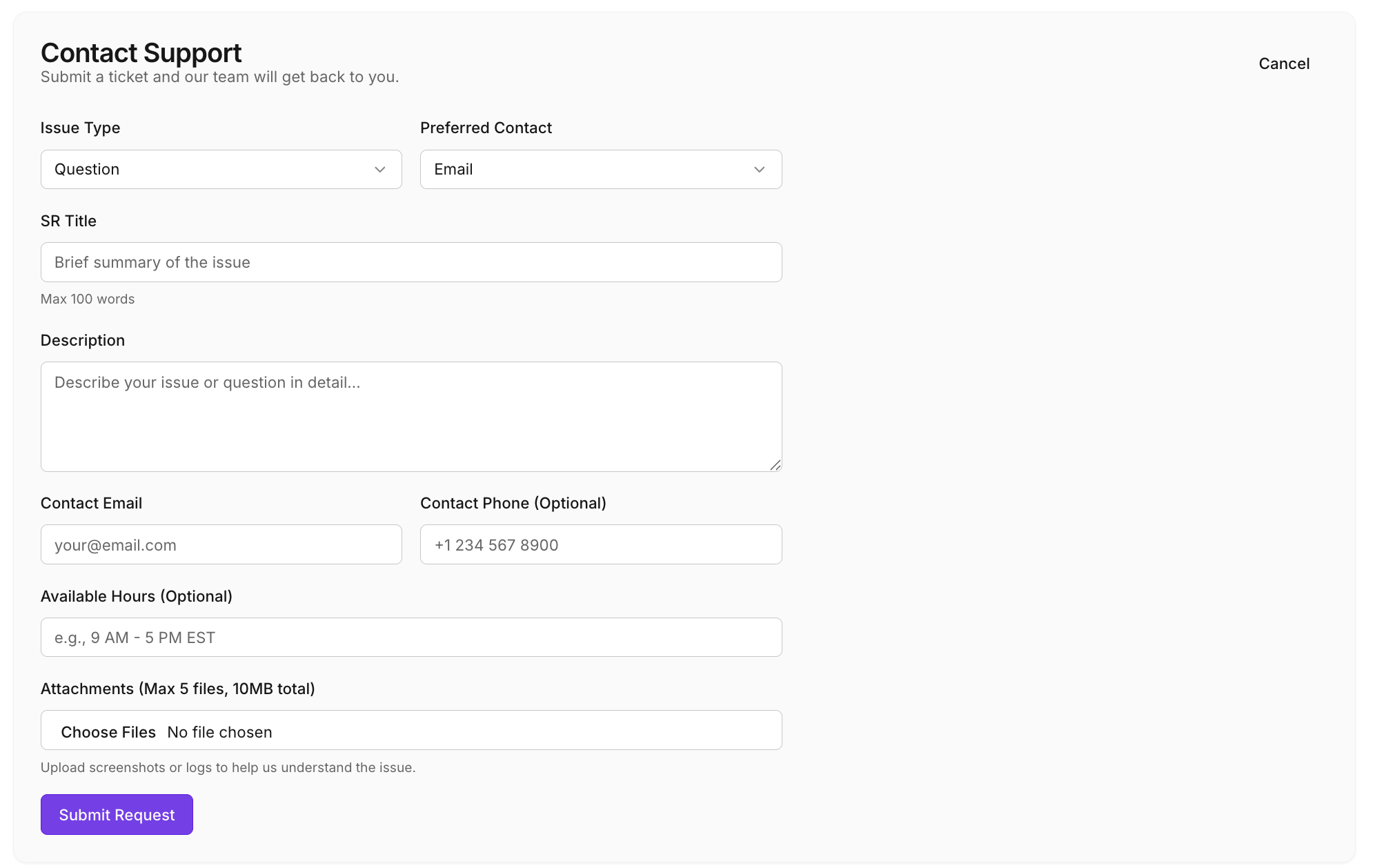
To create a new support request, click the "Create new SR" button. It opens a detailed form for you to submit a ticket, and our team will get back to you.
Support Request Details
When filling out the support form, you will be prompted for the following details:
- Issue Type: Select the type of issue (e.g., Question).
- Preferred Contact: Choose your preferred contact method (e.g., Email).
- SR Title: Provide a brief summary of the issue (Max 100 words).
- Description: Describe your issue or question in detail.
- Contact Email: Your email address (e.g., your@email.com).
- Contact Phone (Optional): Your phone number (e.g., +1 234 567 8900).
- Available Hours (Optional): Specifically when you are available (e.g., 9 AM - 5 PM EST).
- Attachments: Upload screenshots or logs to help us understand the issue (Max 5 files, 10MB total).
Once you have provided all the details, click Submit Request.