Settings Configuration
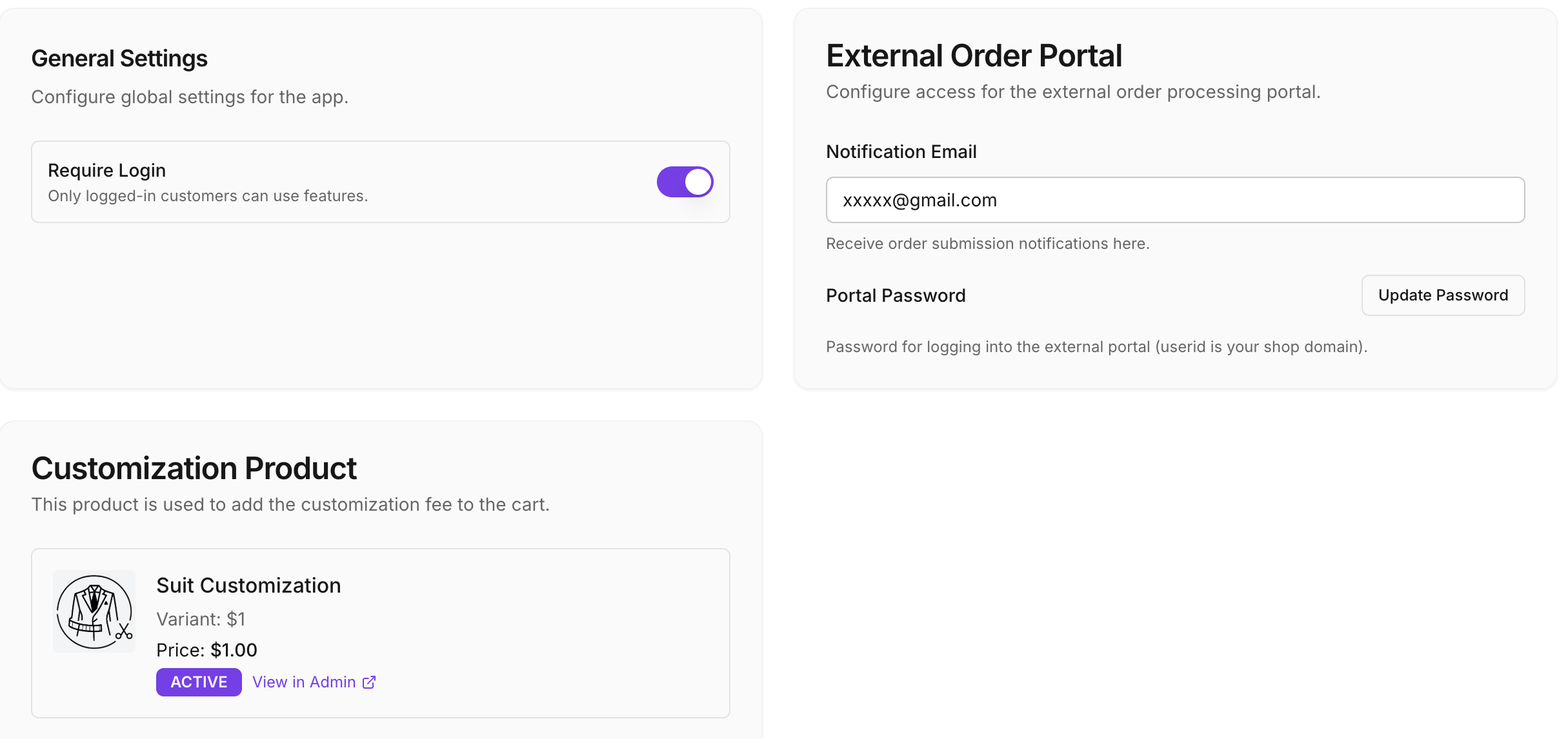
The Settings section, accessible from the A&A Custom Suit App left navigation panel, allows you to customize the core parameters of the application, including app access and external supplier portal credentials and notification details.
General Settings
Configure global settings for the app.
- Require Login: It's recommended to enable this option (Default is enabled). Only logged-in customers can use features. This is custom suit app and better customer to login into the system while placing order in your store.
External Order Portal
Configure access for the external order processing portal.
- Notification Email: (e.g., xxxxx@gmail.com) Enter your email where you want to receive all order related information and status updates from supplier.
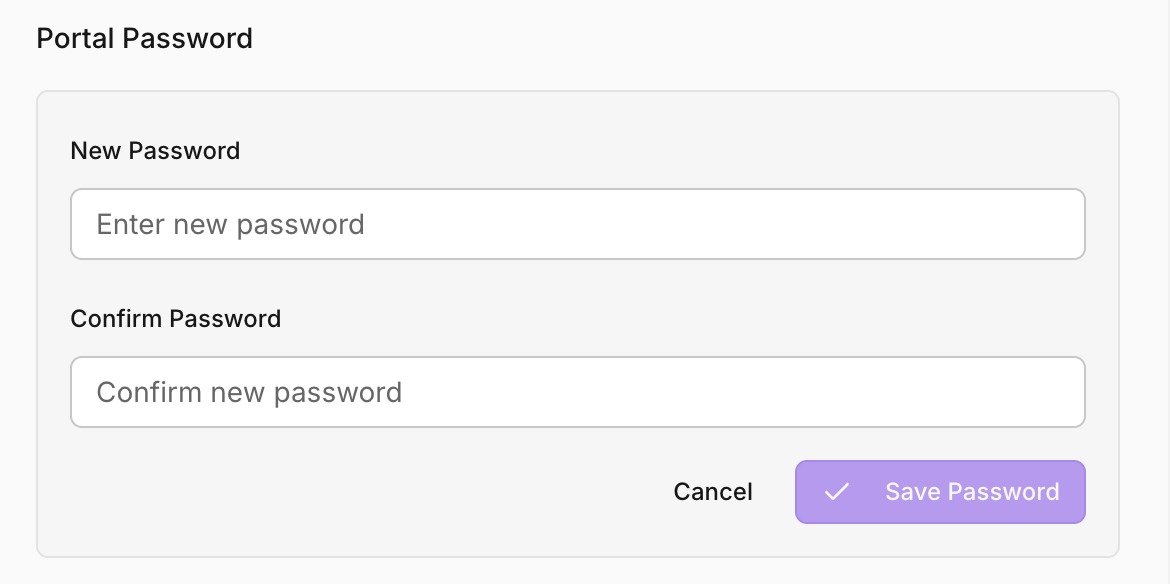
- Portal Password: Click the Update Password button to securely set or change your password for logging into the external supplier portal. Your login User ID for this portal is your Shopify shop domain.
Customization Product
This product is used to add the customization fee to the cart.
First-time Setup
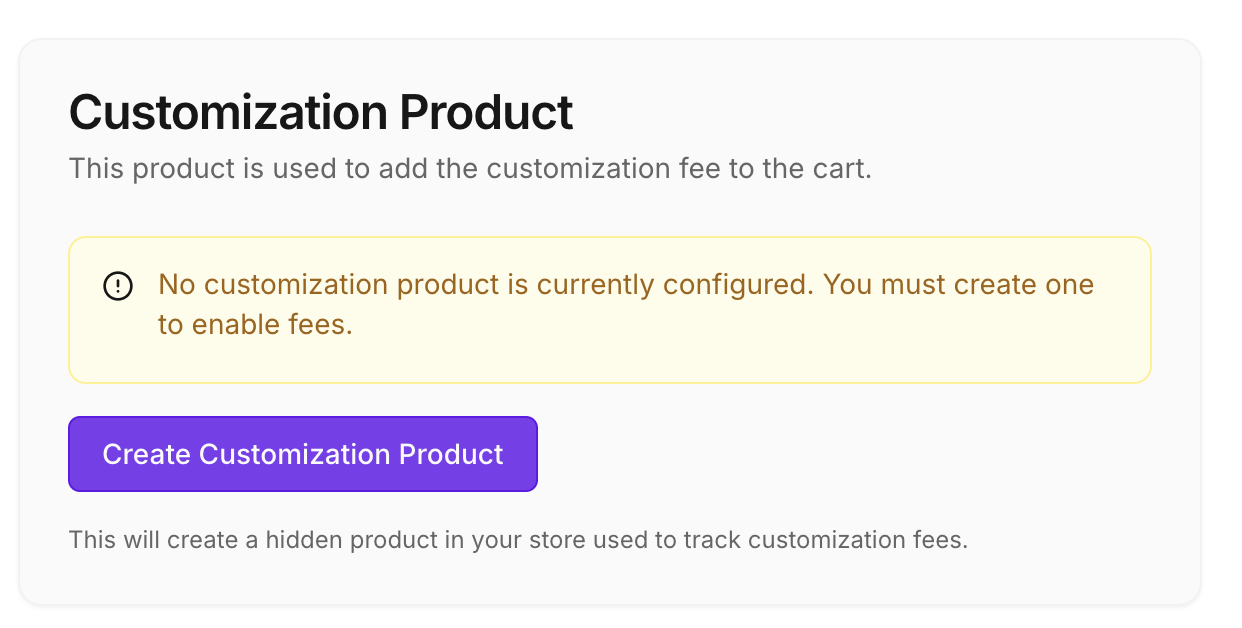
If a customization product doesn't exist yet, you will see the following notice:
"No customization product is currently configured. You must create one to enable fees."
Click the Create Customization Product button to automatically generate the necessary product with variants in your store.
Customization Exists
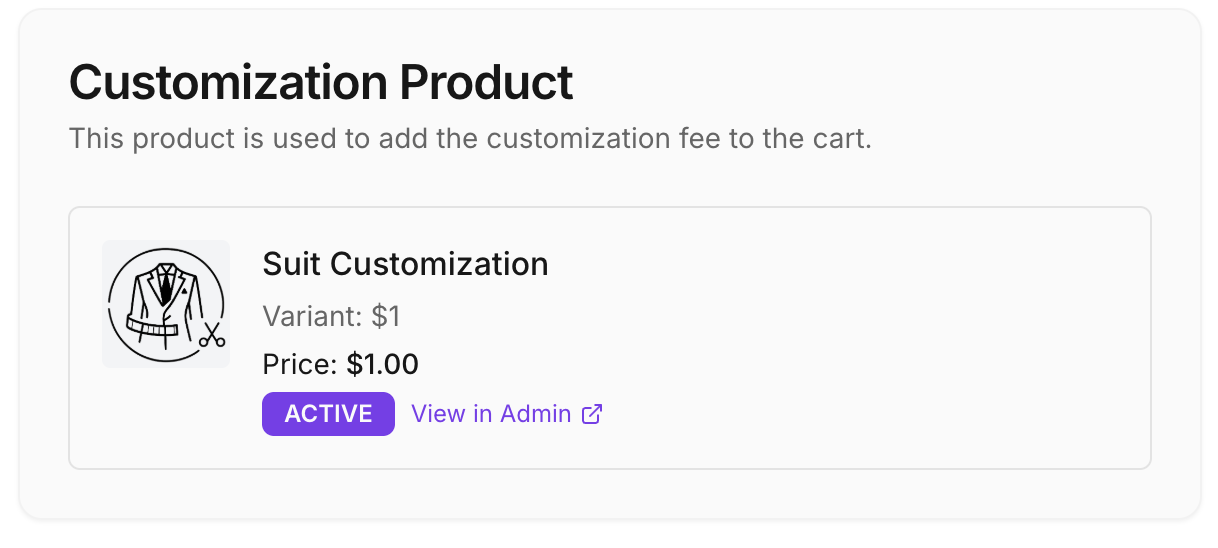
Once customization product is created, it will display the product details. Please don't update any details on this customization product. This product is internally used by app and any changes will impact on adding customization costs.
- Suit Customization: Product Name in your store
- Variant: Variants (We create with 500 variants - automatically)
- Status (ACTIVE): Displays if the product is active in your store. (Make sure product is active in your store)
- View in Admin: A quick link to access this product directly in Shopify Admin.